
Run your startup course in one place. Teams, hand-ins and office hours.
For university startup courses and campus incubators. Students form startup teams, mentors guide them, and your staff follow every hand-in. Each team gets its own startup page and workspace.
Free to start. We build your university's page from its website, so use your work email.
 Each member gets a notice, and no team is reminded twice in an hour
Your course gets a page of its own. Students join it with one link.
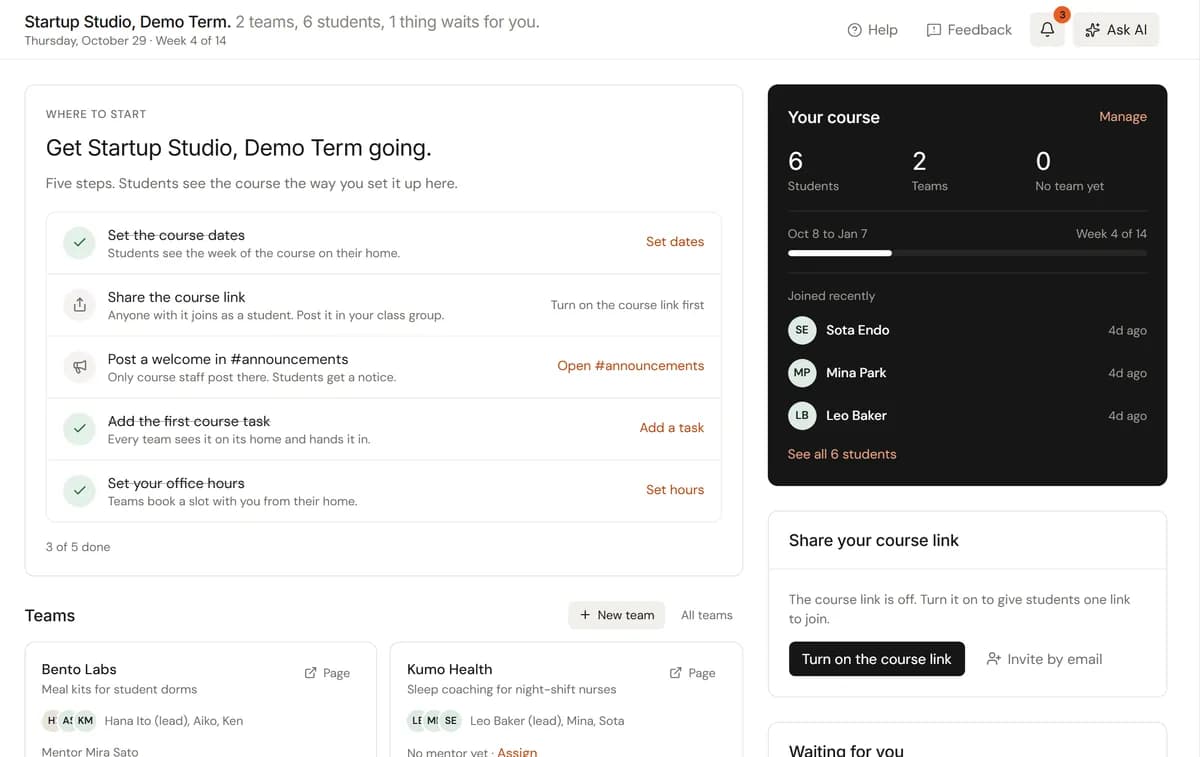
The course name, dates, professors, students and teams fill in from the course itself. Your staff write the welcome, who it is for and the rules. Your university's own page builds itself from your website.
A hands-on course: students form teams, talk to customers and test a first product. Every team works in its own workspace and hands in each course task.
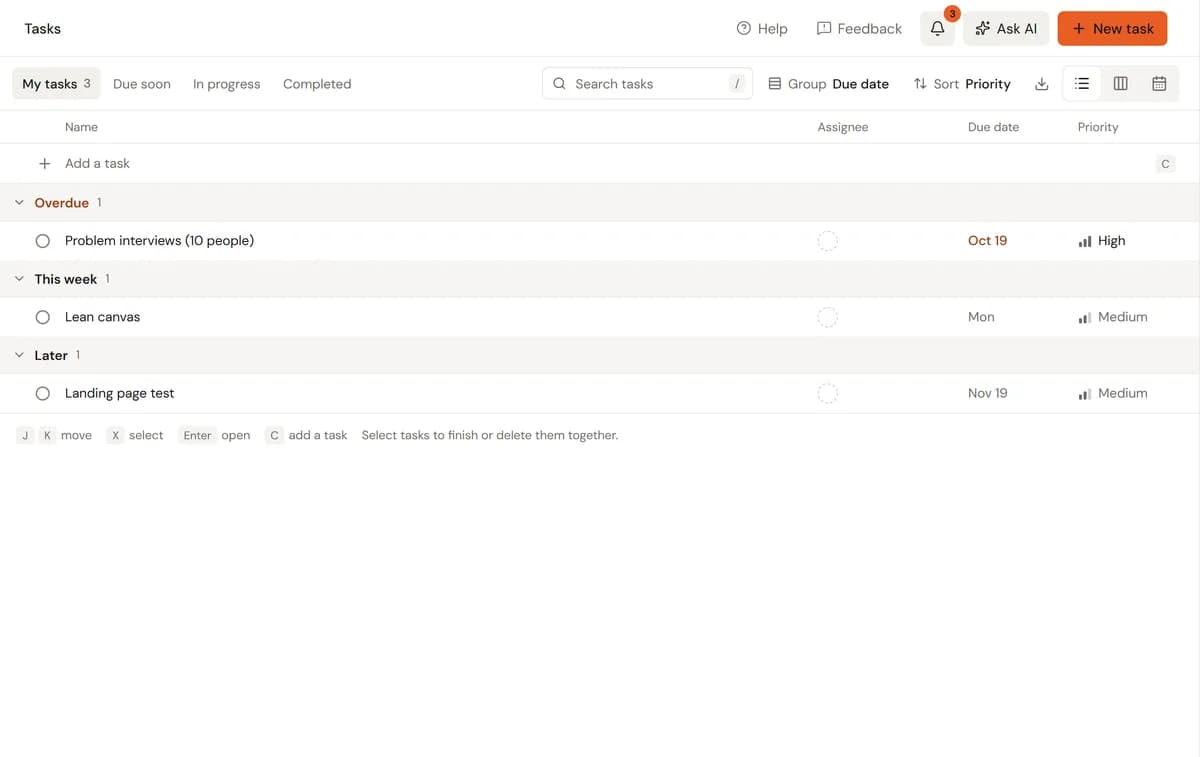
- Hand in with your team, by the due date
- Book office hours early
Joining takes a free account. Sign up with any email address, or log in if you have one.
A course gets a page of its own when its school community becomes the course, which the StartupCorners team sets up on request. Until then, students join with the course link or an email invite.
Set up your course
Pick Organization, type the code we email you, and your university's page builds itself from its website. Then start a school community and choose New course.
For university startup courses, campus incubators and accelerators. Professors, TAs, mentors and students join free.
Run the whole course from here. From the first team to the last hand-in.
Classmates, course staff and mentors can open it. Investors and the public can't, yet. When you're ready, ask the StartupCorners team to make it public.
Ask to go publicOne course, three ways in. Each person sees what their role needs.
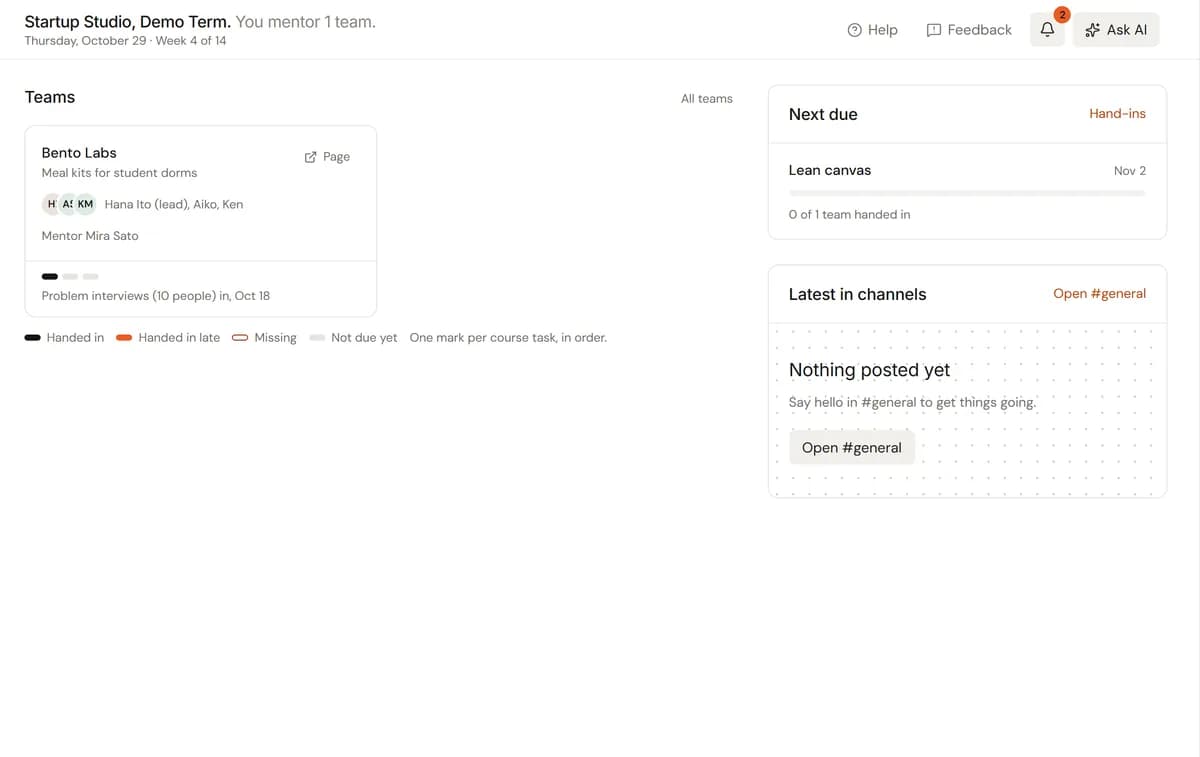
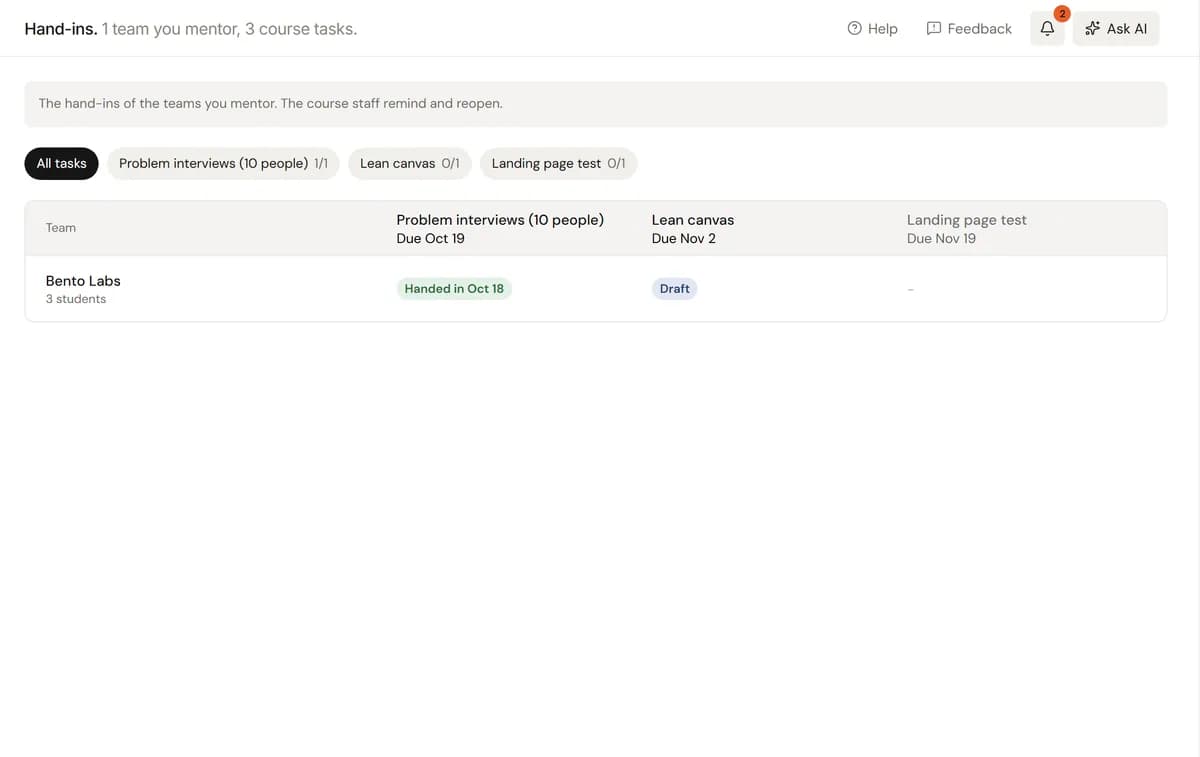
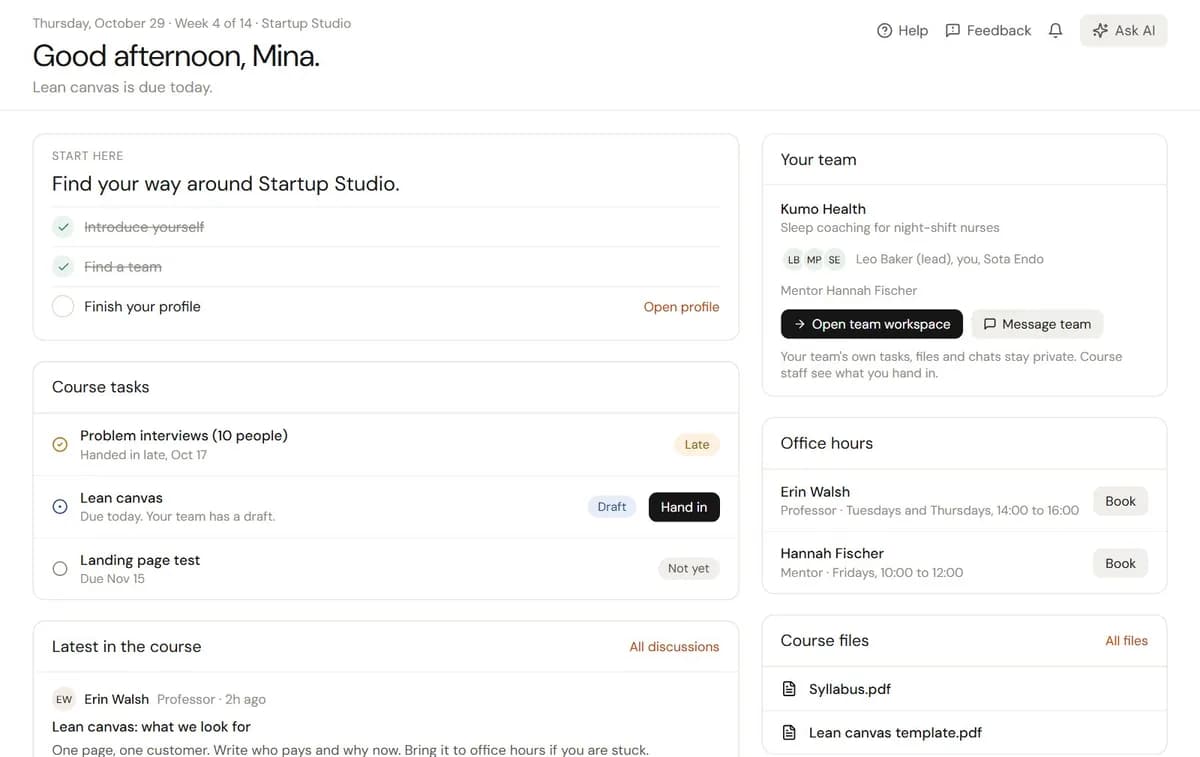
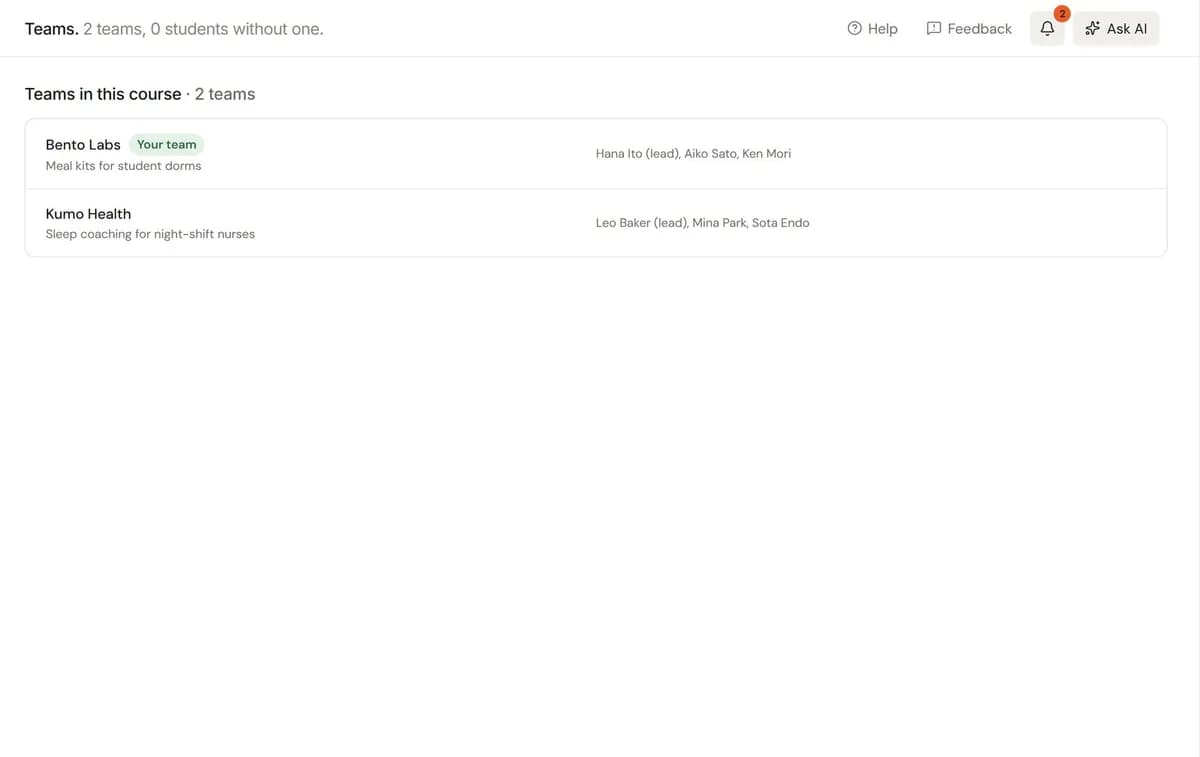
A team that keeps the course moving. Agents for your course, each with a job and a schedule.
Professors, TAs and university admins can add agents to a course. A course agent works on that course only: its teams, people, hand-ins, office hours, discussions, meetings and files. On your university's organization, an agent can look across every course you run.
Before an agent changes, sends, posts or deletes anything, you choose: go ahead, ask me or never. A reminder to teams counts as sending, so a new agent asks you first. A post in Discussions counts as posting publicly, so it stays off until you allow it. A daily credit limit keeps spending in check. Each person can have up to 12 agents on a course, each with up to 10 routines.
Your apps, on your university's page. Course agents post where your staff talk.
Connect Slack, Notion, Airtable and 19 more to your university's organization. Your assistant and the organization's agents read and act in them, and ask first before anything that sends, publishes, deletes or spends.
Apps connect to your organization, not to a course. A course's agents work inside StartupCorners, and can post to a Slack, Discord or Telegram channel its owner picks.
 #course-staff
 #startup-studio
 Course TAs














Mentors guide your teams. Investors meet them when they go public.
Invite mentors to a course by email and assign them to teams. Find more in the mentor directory. Teams apply to programs from their own page. When a team goes public, its page opens to everyone with a Started at badge, and the investor directory, CRM and Fundraising open for it.
Questions course leads ask. Short answers.
Something missing? Email hello@startupcorners.com.
How do students join the course?
Invite them by email, up to 200 addresses at a time, or turn on the course link and share it with the class. Students can use any email, a personal one included. Someone who already has an account joins at once; everyone else gets a link that works for 7 days. Professors, TAs and mentors are invited by email the same way.
How do teams form?
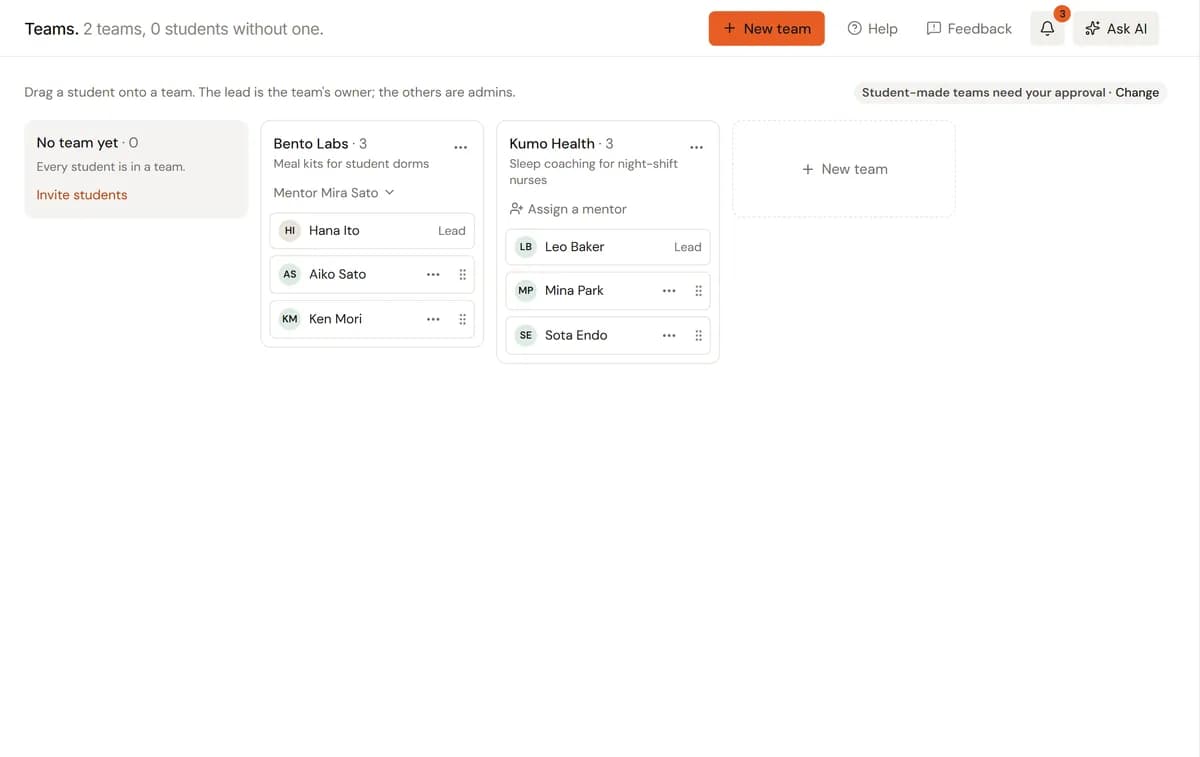
Both ways. Professors and TAs make teams and drag students onto them, or students start a team themselves. You choose whether a team students make joins the course at once or waits for a professor or TA to approve it. A student is in one team per course, and each team can have several mentors.
Who sees a team's work?
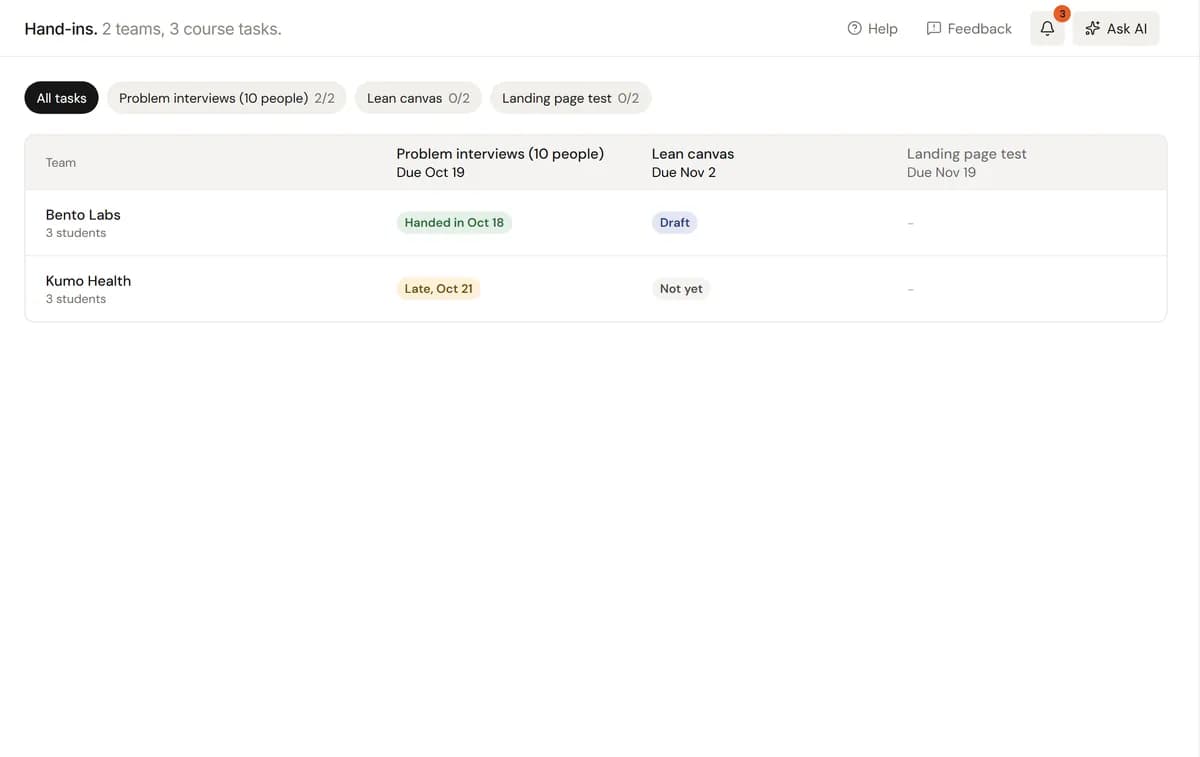
Course staff and the team's mentors see what the team hands in, once it is handed in. They never see the team's own tasks, files or chats. A team's page stays inside the university: only the school community, the course's people and the team can open it.
Can a student startup go public?
Yes. The team's lead asks to go public from Manage, Page. The StartupCorners team answers within two working days. On a yes, the page opens to everyone with a Started at badge, Links, CRM, Fundraising and Investors open, and the team and its professors get an email. The course work stays as it is.
What does it cost?
Your university's page, your courses and their teams are free to start, with no subscription needed. Every account starts with 5,000 AI credits and gets 1,000 free every month. The assistant, AI drafting and agents run on those credits. Top up from $10 when you need more, or get Plus at $20 a month for 25,000 credits.
Run your course here. Free to start, no subscription needed.
Free to start. We build your university's page from its website, so use your work email.